Symptoms & Diagnosis
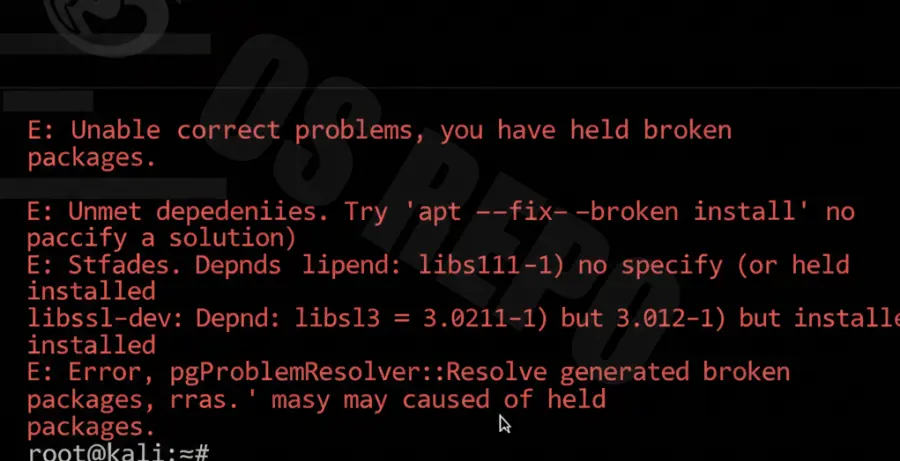
Dependency errors in Kali Linux typically occur during a system upgrade or when installing new tools. You will likely see the terminal freeze or return a message stating that certain packages have “unmet dependencies.”
The most common indicators include the “E: Unable to correct problems, you have held broken packages” error. This usually happens when the APT package manager cannot find compatible versions of required libraries.
Troubleshooting Guide
To resolve these issues, you must first force the package manager to repair its internal database. Use the following commands to identify and fix structural issues within your installation.
| Command | Action |
|---|---|
sudo apt --fix-broken install |
Attempts to repair broken dependencies automatically. |
sudo dpkg --configure -a |
Configures unpacked packages that were interrupted. |
sudo apt clean |
Clears the local repository of retrieved package files. |
Step 1: Force Broken Package Repair
Start by running the standard repair command. This utility checks for missing links and downloads the necessary files to satisfy the requirements of installed software.
sudo apt update --fix-missing
sudo apt install -f
Step 2: Correcting the Sources List
If the error persists, your /etc/apt/sources.list may be pointing to outdated or incorrect repositories. Ensure you are using the official Kali Rolling repositories to avoid version conflicts.
echo "deb http://http.kali.org/kali kali-rolling main contrib non-free non-free-firmware" | sudo tee /etc/apt/sources.list
sudo apt update
Step 3: Removing Locks and Reconfiguring
Sometimes, the package database becomes locked by a crashed process. You may need to manually remove the lock files and reconfigure the DPKG database to resume updates.
sudo rm /var/lib/apt/lists/lock
sudo rm /var/lib/dpkg/lock-frontend
sudo dpkg --configure -a
Prevention
Maintaining a healthy Kali Linux installation requires proactive management of your repositories. Follow these best practices to avoid future dependency hell.
- Avoid Third-Party Repos: Adding PPA repositories designed for Ubuntu or Debian can cause massive library conflicts.
- Run Full Upgrades: Always use
full-upgradeinstead ofupgradeto ensure that dependencies are added or removed as needed. - Check Disk Space: Ensure you have enough storage; a full disk often causes package configuration to fail midway.
- Backup Regularly: Use snapshots if you are running Kali in a Virtual Machine before performing major system updates.