Immediate Fix
If your iPhone is unresponsive following the iOS 18 update, the most effective “Immediate Fix” is a forced hardware reset. This process interrupts the power cycle to clear temporary instruction errors in the RAM.
Force Restart Sequence
Quickly press and release the Volume Up button. Immediately press and release the Volume Down button. Finally, press and hold the Side button until the Apple logo appears on the screen. Do not release the button when you see the black screen; wait for the logo.
| Action | Button Combination | Expected Result |
|---|---|---|
| Hard Reset | Vol Up > Vol Down > Side Button | Apple Logo appears |
| Recovery Mode | Connect to PC + Hard Reset | Connect to Computer Icon |
Technical Explanation
The iOS 18 black screen usually indicates a “SpringBoard” hang or a kernel panic. This occurs when the system’s graphical user interface fails to initialize despite the underlying Unix-based core remaining active.
In technical terms, the display driver may fail to hand off tasks from the bootloader to the kernel. Developers often use terminal-based utilities to verify if the device is still communicating over the USB bus even when the screen is dark.
# Verify if the iOS device is detected in Recovery/DFU mode via terminal
lsusb | grep -i "Apple"
# For users with libimobiledevice installed
idevicerestore -l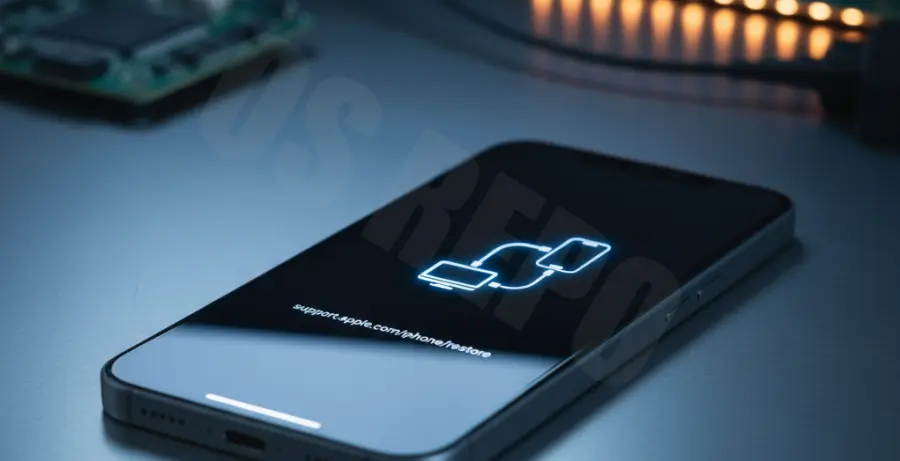
Alternative Methods
If the force restart fails to yield results, you must escalate to Recovery Mode. Connect your iPhone to a Mac or a PC with the latest version of iTunes or Finder. Perform the force restart sequence while the cable is connected, but continue holding the Side button even after the Apple logo appears.
DFU Mode Restoration
Device Firmware Update (DFU) mode is the deepest level of recovery. It bypasses the iBoot bootloader to allow for a clean install of iOS 18. This is recommended if the black screen is caused by corrupted system files during the initial OTA update.
If hardware damage is suspected—such as a disconnected display flex cable—software recovery methods will not work. In such cases, professional diagnostic tools are required to check the voltage rails on the logic board.