| Method | Key Combination / Command | Best For |
|---|---|---|
| Button Method | Power + Volume Down | Unresponsive or Frozen devices |
| ADB Method | adb reboot recovery | Developers and advanced users |
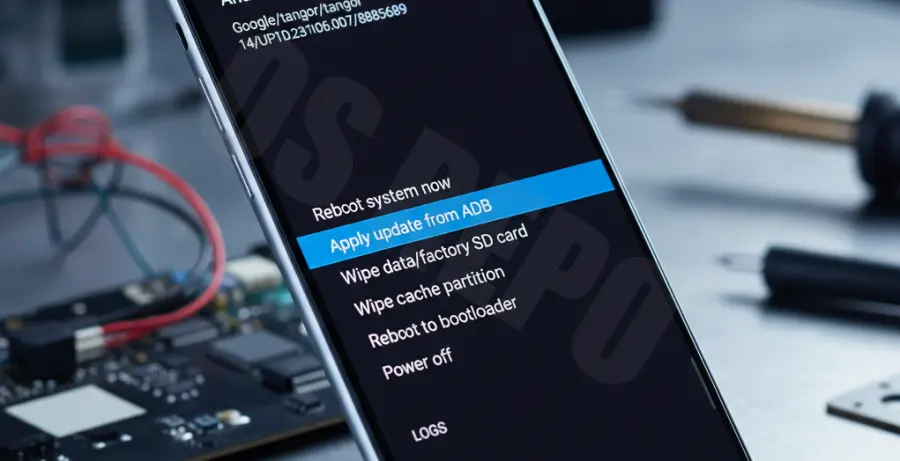
What is Recovery Mode on Pixel 9?
Recovery mode is a dedicated runtime environment located in a separate partition from the main Android OS. It allows users to perform critical maintenance tasks that cannot be done while the system is running.
When your Pixel 9 is not responding or stuck in a boot loop, Recovery Mode provides tools to factory reset the device, wipe cache, or apply system updates manually. It is the primary failsafe for software-related failures.
Step-by-Step Solutions
If your Pixel 9 is frozen or the screen is black, use the physical button method to trigger the bootloader first.
Method 1: Using Hardware Buttons
Follow these steps precisely to access the recovery menu:
1. Press and hold the **Power button** and **Volume Down button** simultaneously.
2. Release both buttons when the Fastboot Mode screen (an Android bot with text) appears.
3. Use the **Volume buttons** to scroll through the options until “Recovery Mode” is highlighted.
4. Press the **Power button** once to select it.
5. When you see the “No command” screen, press and hold the **Power button**, then press the **Volume Up button** once. Release both.
You are now in Recovery Mode. Use the Volume keys to navigate and the Power button to confirm your selection.
Method 2: Using ADB (Android Debug Bridge)
If your device is powered on and you have USB Debugging enabled, you can enter recovery via a computer. Use the following command in your terminal:
adb reboot recoveryThis command bypasses the manual button combinations and boots the Pixel 9 directly into the recovery interface.
Common Troubleshooting
If your Pixel 9 remains unresponsive even after attempting these steps, ensure the device has at least 30% battery. Connect it to a wall charger for 15 minutes before trying the hardware button combination again.
If you successfully enter recovery but the device fails to boot after a “Wipe data/factory reset,” there may be a deeper hardware issue requiring professional service.