Immediate Fix: Performing a CMOS Hard Reset
If you are locked out of your laptop BIOS, the most reliable immediate fix is to clear the CMOS (Complementary Metal-Oxide-Semiconductor). This action resets the BIOS settings to factory defaults, which typically removes the supervisor password.
Follow these steps to perform a manual hardware reset on your laptop:
| Step | Action Required | Safety Note |
|---|---|---|
| 1 | Disconnect the power adapter and remove the main battery. | Ensure the device is completely powered down. |
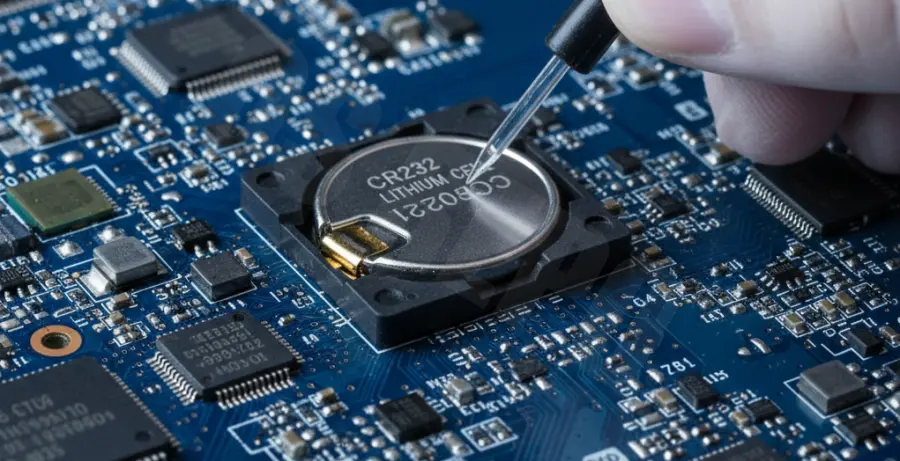
| 2 | Open the laptop casing to locate the small coin-cell CMOS battery. | Use an anti-static wrist strap if available. |
| 3 | Remove the CMOS battery for 30 to 60 seconds. | This drains the volatile memory storing the BIOS settings. |
| 4 | Reinsert the battery and reassemble the laptop. | The BIOS should now be reset to the default state. |
Technical Explanation: Why This Works
The BIOS (Basic Input/Output System) uses a small amount of memory to store configuration settings, including security passwords. This memory is volatile, meaning it requires a constant electrical charge to retain data.
When you remove the CMOS battery, you interrupt the power flow to the CMOS chip. Without power, the chip loses its data, including the password string. When the system reboots, it detects the data loss and generates a “CMOS Checksum Error,” forcing it to load factory defaults.
On modern laptops, this data may be stored in non-volatile NVRAM or a specialized TPM chip. In these cases, a simple battery pull might not work, and you will need to look for specific hardware jumpers on the motherboard labeled “PSWD” or “CLR_CMOS.”
Alternative Methods to Bypass the BIOS Login
1. Master Password Backdoors
Many laptop manufacturers include “backdoor” passwords for service technicians. If you enter the wrong password three times, the system may display a “System Disabled” code or a “Service Tag.” You can enter this code into a master password generator to retrieve a recovery key.
2. Resetting via Motherboard Jumpers
If your laptop motherboard has a reset jumper, you can bypass the login screen by shorting the pins. This is common on older business-class laptops (e.g., Dell Latitude or Lenovo ThinkPad series).
3. Using Software Flashing Tools
In extreme cases where hardware access is limited, advanced users utilize EEPROM programmers or command-line tools to flash the firmware. This requires specialized hardware to interface directly with the BIOS chip.
# Example of using a generic flashing tool to clear NVRAM (Conceptual)
flashrom -p internal -c "CHIP_MODEL" -E
Always verify your specific motherboard model before attempting a firmware flash, as an incorrect procedure can “brick” the device permanently.