Symptoms & Diagnosis
The “Electron white flash” is a common issue where a bright flickering occurs before the application’s intended background color or UI renders. This happens because the Chromium engine initializes the BrowserWindow with a default white background before your CSS styles are fully loaded and applied.
You may notice this flicker specifically when launching the app or when navigating between different windows. In dark-themed applications, this contrast is particularly jarring to users and can make a professional tool feel unpolished.
Diagnosis involves checking if the flicker disappears after the initial load or if it persists during resizing. If it only happens at startup, it is a lifecycle synchronization issue between the main process and the renderer process.
Troubleshooting Guide
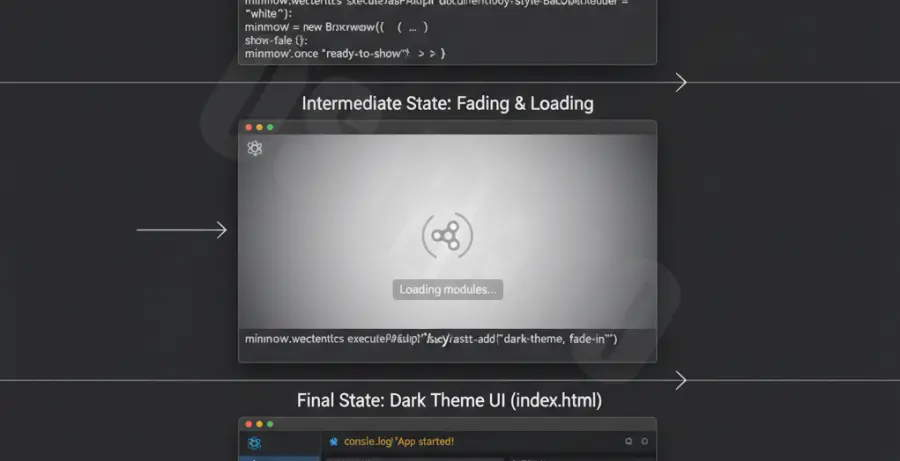
To eliminate the flicker, you must synchronize the window visibility with the content readiness. The most effective method is to keep the window hidden until the “ready-to-show” event fires.
First, update your main process file to include the show: false property and a specific backgroundColor that matches your CSS. This ensures that even if there is a delay, the visible color matches your branding.
// In your main.js or index.js
const { BrowserWindow } = require('electron');

const win = new BrowserWindow({
  width: 800,
  height: 600,
  show: false, // Prevents the initial white flash
  backgroundColor: '#2e2c29', // Match your app theme
  webPreferences: {
    nodeIntegration: true
  }
});

win.once('ready-to-show', () => {
  win.show();
});
If you are still experiencing flickering during window resizing, you may need to disable hardware acceleration or adjust the window’s visual properties. Use the table below to identify the best fix for your specific scenario:
| Symptom | Primary Cause | Recommended Fix |
|---|---|---|
| Startup White Flash | Default Chromium Background | Set backgroundColor + show: false |
| Resizing Glitch | GPU Rendering Latency | app.disableHardwareAcceleration() |
| Navigation Flicker | DOM Reflow | Use Single Page Application (SPA) routing |
Prevention
Consistency is key to preventing flickering in Electron. Always define a backgroundColor in your BrowserWindow constructor. This acts as a fallback for the renderer engine, ensuring that the “void” space of the window is never white by default.
Avoid loading heavy scripts or large assets in the <head> of your HTML. These block the initial paint and prolong the period where the window might appear empty. Use asynchronous loading for non-critical resources.
Lastly, for complex applications, consider using a splash screen. A small, lightweight window can be displayed instantly while the main application window loads its resources in the background, providing a much smoother user experience.