Symptoms & Diagnosis
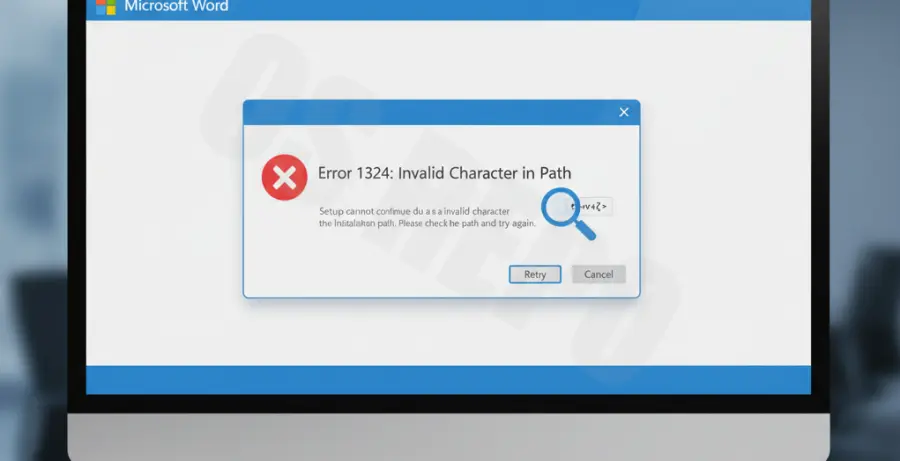
Microsoft Word Setup Error 1324 typically occurs when the installer encounters a file path or folder name that contains an invalid character. This error prevents the installation or update process from completing successfully.
The primary symptom is a pop-up window stating: “Error 1324. The folder path ‘[path]’ contains an invalid character.” This often points to localized folders like “My Pictures” or “Documents” that may have been redirected or corrupted.
Diagnosis involves checking your Windows User Profile settings and regional configurations. If your system was recently upgraded or if you migrated data between drives, registry keys pointing to system folders might still reflect non-existent or malformed paths.
Troubleshooting Guide
To resolve this error, we must identify which system path is causing the conflict. Often, the error originates from incorrect registry entries or localized character sets that the installer cannot interpret.
| Root Cause | Potential Solution |
|---|---|
| Invalid Registry Path | Modify Shell Folders in Registry Editor |
| User Profile Corruption | Create a new Administrative User Account |
| Regional Settings Mismatch | Set System Locale to English (United States) |
Method 1: Using the Registry Editor
Most instances of Error 1324 are linked to the ‘Shell Folders’ or ‘User Shell Folders’ registry keys. Ensure that the paths listed there do not contain symbols like asterisks, brackets, or incorrect slashes.
Navigate to HKEY_CURRENT_USER\Software\Microsoft\Windows\CurrentVersion\Explorer\User Shell Folders and verify that all entries point to valid drive letters (e.g., C:\ instead of a disconnected network drive).
Method 2: Verify System Integrity
If the registry appears correct, use the Deployment Image Servicing and Management tool to ensure your Windows image is healthy. Run the following command in an elevated prompt:
DISM.exe /Online /Cleanup-image /RestorehealthAfter the repair completes, try running the Word installer again as an Administrator.
Prevention
To prevent Word Setup Error 1324 in the future, avoid manually moving system folders like “My Documents” without using the official “Move” feature found in folder properties.
Always ensure your system’s Regional and Language settings are consistent. Using specialized characters in your Windows Username can sometimes trigger path errors in legacy installers, so sticking to standard alphanumeric characters for user profiles is recommended.
Regularly cleaning your registry with trusted tools and keeping your Windows OS updated will minimize the risk of path-related installation failures.