Symptoms & Diagnosis
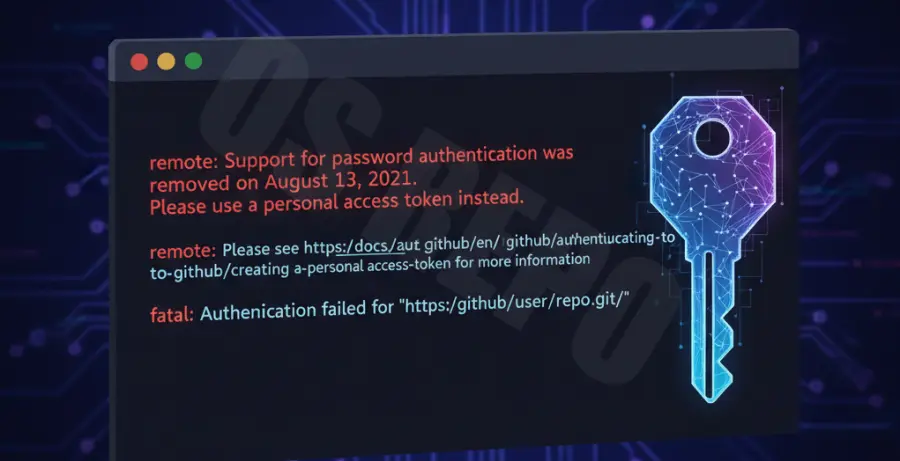
If you are seeing “Support for password authentication was removed” or “Authentication failed,” your local Git client is likely trying to use your GitHub password instead of a Personal Access Token (PAT).
Common symptoms include receiving a 401 Unauthorized error or a 403 Forbidden error during git push or git fetch. This typically means your token has expired, been revoked, or lacks the specific permissions (scopes) required for the action you are performing.
To diagnose, check your GitHub Developer Settings. Ensure your token is still active and that the “repo” scope is checked for private repositories. If the token is expired, it will no longer work for any Git operations.
Troubleshooting Guide
The most effective way to resolve this is to clear your cached credentials and provide the new token. Most operating systems store your old password in a credential manager, which prevents the new PAT from being recognized.
1. Clear Cached Credentials
Force Git to ask for your credentials again by removing the existing ones from your helper. Run this command in your terminal:
git credential-manager reject https://github.com2. Update the Remote URL
If you want to bypass the credential manager, you can include the PAT directly in your repository’s remote URL. Replace <TOKEN> with your actual token:
git remote set-url origin https://<TOKEN>@github.com/username/repository.git3. Verify Permissions
Ensure your token has the correct scopes. Refer to the table below for common error scenarios and their fixes:
| Error Message | Common Cause | Resolution |
|---|---|---|
| 401 Unauthorized | Token expired or invalid | Generate a new PAT in GitHub settings. |
| 403 Forbidden | Insufficient Scopes | Check “repo” and “workflow” scopes. |
| Support for password removed | Using password instead of PAT | Replace password with PAT in credential prompt. |
Prevention
To prevent “GitHub personal access token not working” issues in the future, consider switching to SSH authentication. SSH keys do not expire like tokens and offer a “set it and forget it” workflow for developers.
Another alternative is using the GitHub CLI (gh). The CLI manages authentication automatically and handles token refreshes without manual intervention. You can login once using:
gh auth loginLastly, always set a calendar reminder a few days before your PAT expires. This allows you to rotate your tokens during scheduled maintenance rather than during a critical deployment.