| Method | Difficulty | Requirement |
|---|---|---|
| Button Combination | Easy | Physical Power & Volume keys |
| ADB Command | Intermediate | PC and USB Cable |
| Factory Reset | Moderate | Data Wipe (Last Resort) |
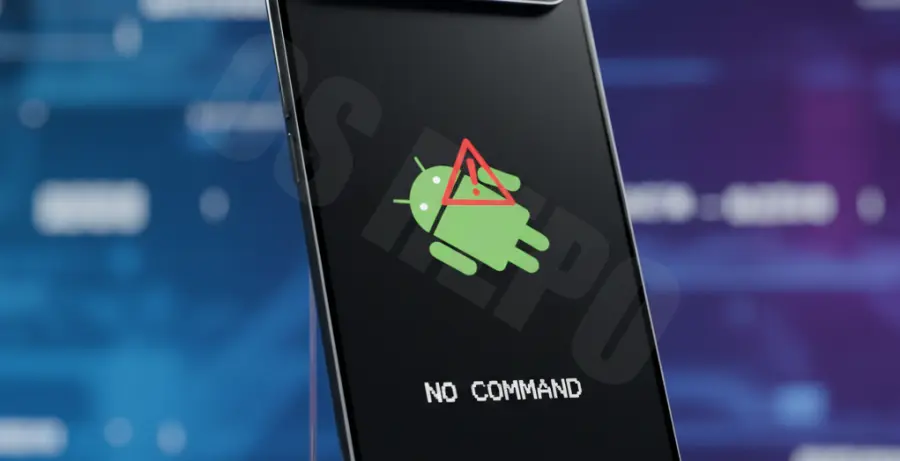
What is the Pixel 9 Recovery Mode “No Command” Error?
The “No Command” error on a Pixel 9 isn’t actually a system failure. It is a security gateway designed to prevent unauthorized or accidental access to the recovery menu.
When you attempt to boot into recovery, Android displays a fallen robot icon with a red exclamation mark. This signifies that the device is waiting for a specific user input to verify physical presence.
Seeing this screen is a standard part of the Google Pixel troubleshooting process. It does not mean your smartphone is “bricked” or broken.
Step-by-Step Solutions
Method 1: The Secret Button Combination
This is the most common way to bypass the “No Command” screen. Timing is critical for this step.
- When you see the fallen Android robot, press and hold the Power button.
- While holding the Power button, press the Volume Up button once.
- Release both buttons immediately.
The system should now reveal the blue text of the Android Recovery menu. Use the Volume keys to navigate and the Power button to select options.
Method 2: Using ADB via Computer
If your physical buttons are sticky or you prefer using a terminal, you can force the device to bypass the screen using Android Debug Bridge (ADB).
adb reboot recoveryNote: This requires USB Debugging to have been enabled previously. If you are already stuck at the “No Command” screen, the button combination in Method 1 is your best bet.
Method 3: Resolving Boot Loops
If your Pixel 9 automatically reboots to the “No Command” screen without your input, it may indicate a corrupted system partition.
- Access the recovery menu using the button combo in Method 1.
- Select “Wipe cache partition” (if available) and restart.
- If the issue persists, select “Wipe data/factory reset.”
Warning: A factory reset will delete all data on your device. Ensure you have backups before proceeding with this step.