Immediate Fix (Method 1): Implementing the Background Sync API
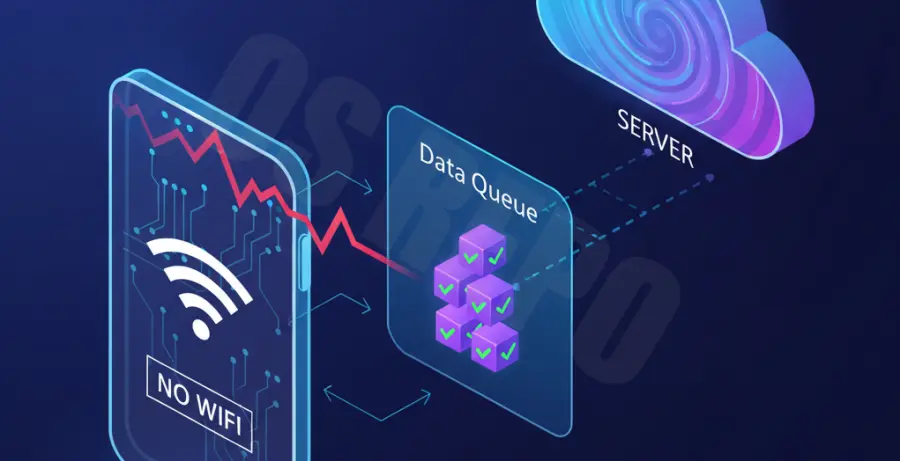
The fastest way to resolve PWA synchronization failures is by utilizing the **Background Sync API**. This API defers actions until the user has stable connectivity, ensuring that data is never lost during sudden WiFi drops.
To implement this, you must first register a sync event within your Service Worker. This allows the browser to retry the request automatically as soon as the connection is restored.
// Registering a sync event in your main JavaScript file
navigator.serviceWorker.ready.then((registration) => {
  return registration.sync.register('sync-updates');
});
Technical Explanation: Why PWAs Fail During WiFi Drops
PWA synchronization issues usually occur because the browser’s `fetch` events are interrupted before completion. When a WiFi signal drops, the JavaScript execution context often loses the “handshake” with the server, leading to unhandled promises or partial data states.
Traditional web apps simply fail, but PWAs attempt to bridge the gap using Service Workers. However, without a dedicated queuing mechanism, the Service Worker doesn’t know which specific request failed during the transition from “online” to “offline” status.
| Issue Type | Root Cause | Impact on User |
|---|---|---|
| Incomplete Fetch | Unstable TCP Handshake | Data is lost or stuck in “pending” state. |
| Race Conditions | Service Worker Timeout | Duplicate entries when connection returns. |
| State Mismatch | Cache vs Server Conflict | User sees old data even after syncing. |
Alternative Methods for Robust Synchronization
Method 2: Client-Side Queueing with IndexedDB
If the Background Sync API is not supported by the user’s browser, use **IndexedDB** as a fallback buffer. Store the failed request as a JSON object in a local database and poll the `navigator.onLine` status to trigger a manual retry.
This method provides more control over the retry logic. You can implement exponential backoff to ensure you don’t overwhelm your server once the WiFi stabilizes.
Method 3: Workbox Background Sync Module
For those using Google’s Workbox library, the `workbox-background-sync` module automates the entire process. It automatically adds failed requests to an “outbox” and retries them on your behalf.
// Example of Workbox Background Sync configuration
const bgSyncPlugin = new backgroundSync.BackgroundSyncPlugin('myQueueName', {
  maxRetentionTime: 24 * 60 // Retry for max 24 Hours
});
Using this library reduces the amount of boilerplate code you need to maintain. It is currently the industry standard for production-grade Progressive Web Apps.