Immediate Fix: Force Restart and Credit Check
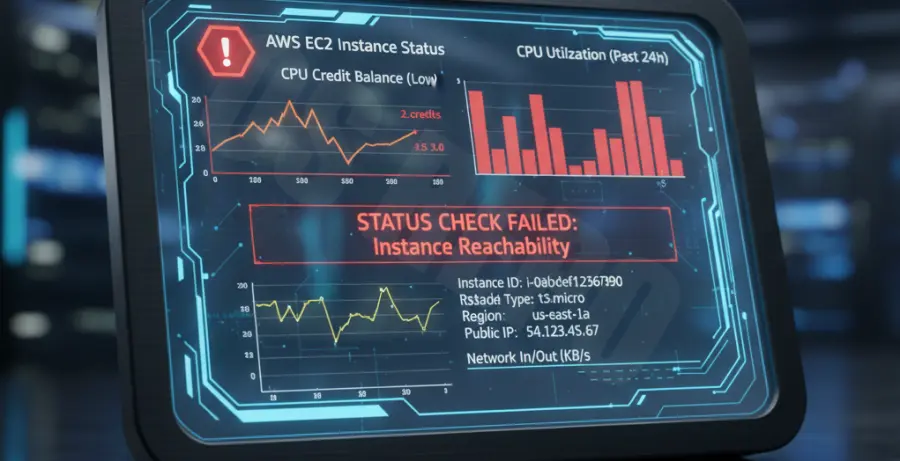
When a t2.micro instance becomes unresponsive, it is usually due to CPU credit exhaustion or memory pressure. The fastest resolution is to perform a “Stop” and “Start” sequence via the AWS Management Console or CLI.
Stopping the instance releases the underlying hardware. When you start it again, AWS provisions the instance on a new host with a fresh set of initial CPU credits.
# Stop the unresponsive instance
aws ec2 stop-instances --instance-ids i-0123456789abcdef0

# Wait for state to be 'stopped', then start
aws ec2 start-instances --instance-ids i-0123456789abcdef0
If the instance remains in a “stopping” state for more than 10 minutes, you can issue a “Force Stop” command through the CLI to break the lock.
Technical Explanation: The Burstable Performance Bottleneck
The t2.micro instance belongs to the Burstable Performance family. It operates on a credit system where the instance earns credits when idle and spends them when busy.
When your CPU Credit Balance hits zero, the instance is throttled to its baseline performance. For a t2.micro, this baseline is extremely low, often causing the OS kernel to hang or SSH connections to time out.
| Feature | t2.micro Specification |
|---|---|
| vCPU Count | 1 |
| Memory (RAM) | 1 GiB |
| Baseline Performance | 10% of a vCPU |
| Common Failure Point | CPU Credit Exhaustion / Out of Memory (OOM) |
Additionally, with only 1 GiB of RAM, these instances frequently trigger the Linux OOM Killer. If a critical process like sshd is killed, the instance becomes unreachable even if the CPU is idle.
Alternative Methods: Debugging and Prevention
1. Check Get Instance Screenshot
If you cannot connect via SSH, use the “Get Instance Screenshot” tool in the EC2 Console. This allows you to see the current display output of the VM. It will reveal if the system is stuck in a kernel panic or a boot loop.
2. Enable T2/T3 Unlimited
To prevent future hangs due to credit exhaustion, enable “T2/T3 Unlimited” mode. This allows the instance to scale beyond its baseline by charging a small fee for surplus credits, rather than throttling performance to a halt.
# Enable unlimited mode for an existing instance
aws ec2 modify-instance-credit-specification \
    --instance-credit-specification "InstanceId=i-0123456789abcdef0,CpuCredits=unlimited"
3. Use EC2 Serial Console
For instances built on the Nitro System (like t3.micro), you can use the EC2 Serial Console to troubleshoot boot issues. However, for the older t2.micro, you are limited to checking Status Checks in CloudWatch to identify underlying hardware failures.