Symptoms & Diagnosis
A laptop CMOS battery typically lasts three to five years. If yours is draining in weeks or months, there is likely an underlying hardware or firmware issue. The most obvious symptom is your system clock resetting to 00:00 every time you reboot.
You may also encounter “CMOS Checksum Error” or “Press F1 to Continue” messages during startup. These errors indicate that the BIOS has lost its configuration settings because the small coin-cell battery can no longer provide the necessary standby voltage.
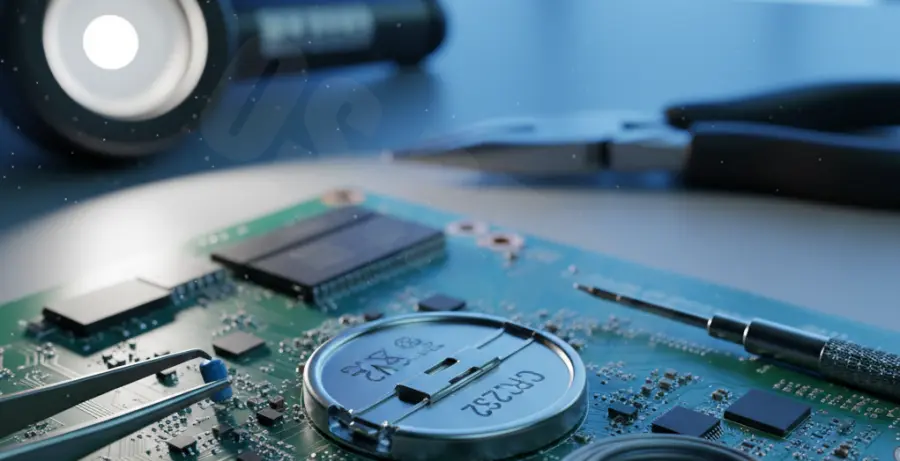
In some cases, a fast-draining battery is caused by a “leaky” capacitor or a short circuit on the motherboard. This pulls more current than the CR2032 battery is designed to provide, exhausting it prematurely.
Troubleshooting Guide
Before assuming the motherboard is dead, perform a hard reset. Disconnect the main battery and the CMOS battery, then hold the power button for 30 seconds to drain static electricity.
| Symptom | Potential Cause | Recommended Action |
|---|---|---|
| Clock Resets Weekly | Defective Battery Batch | Replace with a high-quality Energizer/Duracell CR2032. |
| Immediate Drain | Short on CMOS Circuit | Inspect for corrosion or blown diodes near the socket. |
| Settings Lost on AC Unplug | Power Management Bug | Update BIOS/UEFI firmware to the latest version. |
Firmware bugs can sometimes cause the system to fail to switch to AC power for BIOS maintenance, forcing the CMOS battery to work even when the laptop is plugged in. Check your current BIOS version using the command below:
wmic bios get smbiosbiosversionIf the battery continues to drain after replacement, use a multimeter to check the voltage at the battery terminals while the laptop is off. If the voltage drops visibly while you watch, a surface-mount component is likely shorted to ground.
Prevention
To prevent rapid CMOS battery depletion, avoid leaving your laptop completely uncharged for long periods. Even when turned off, keeping the laptop connected to a power source occasionally allows the motherboard to bypass the CMOS battery.
Keep your laptop in a dry, cool environment. High humidity can create micro-shorts on the motherboard surface, which increases the parasitic draw on the coin cell.
Always ensure your BIOS is updated. Manufacturers often release patches that optimize power states, ensuring the CMOS battery is only used when absolutely necessary.