Symptoms & Diagnosis
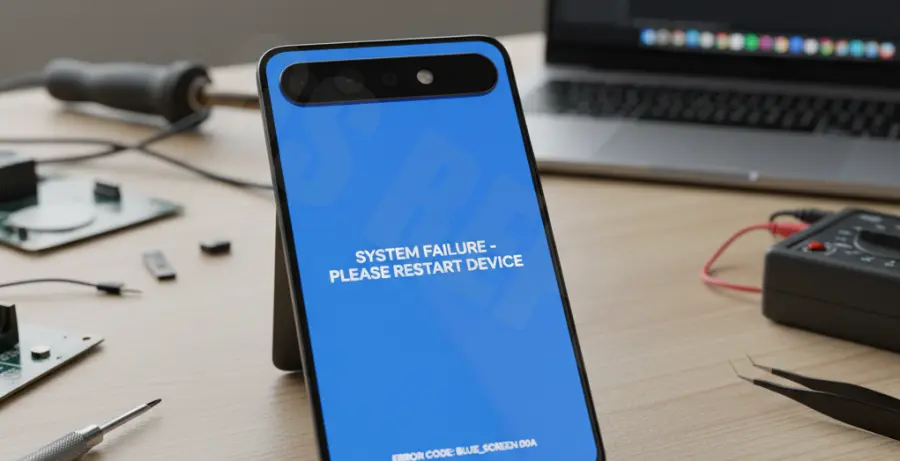
The Google Pixel 9 is known for its incredible Tensor G4 performance, but a “Blue Screen of Death” (BSOD) can halt everything. This issue typically presents as a solid blue display followed by a device freeze or an infinite boot loop.
Diagnosing the cause is essential before attempting deep fixes. Most Pixel 9 blue screen issues stem from kernel panics or critical memory allocation failures. Use the table below to identify your specific symptoms.
| Symptom | Potential Cause | Severity |
|---|---|---|
| Flickering Blue Tint | Display Connector/GPU Driver | Medium |
| Solid Blue Screen + Reboot | System Kernel Panic | High |
| Blue Screen during Charging | Power Management IC Failure | Critical |
If your device is still responsive to button presses, it is likely a software conflict. If the screen remains blue regardless of input, hardware intervention may be necessary.
Troubleshooting Guide
The first step in resolving a Pixel 9 BSOD is a forced hardware restart. Press and hold the Power and Volume Up buttons simultaneously for 15 seconds. This cuts power to the logic board and clears volatile memory.
Boot into Safe Mode
Safe Mode disables all third-party applications. If the blue screen does not appear in Safe Mode, a recently installed app is the culprit. To enter Safe Mode, hold the power off icon on your screen until the prompt appears.
Wipe Cache via ADB
Sometimes, corrupted system binaries cause the Tensor chip to crash. You can attempt to clear temporary system files using Android Debug Bridge (ADB) from a computer.
adb reboot recovery
# Once in recovery, use the following to check logs
adb logcat *:E
Factory Reset (Last Resort)
If software glitches persist, a factory reset is required. Navigate to Settings > System > Reset options > Erase all data. Ensure you have backed up your Google Account data, as this will wipe the internal storage completely.
Prevention
Preventing future blue screen occurrences involves maintaining system integrity. Always keep your Pixel 9 updated to the latest Android security patch, as Google frequently releases “stability” fixes for the Tensor architecture.
Avoid sideloading APKs from untrusted sources. These apps often lack the proper optimization for the Pixel 9’s unique hardware abstraction layer, leading to system-wide crashes.
Lastly, monitor your device temperature. Persistent overheating can weaken the solder joints under the SoC (System on a Chip), leading to permanent hardware-based blue screen errors.