| Issue | Quick Solution |
|---|---|
| Low-Quality Battery | Replace with name-brand CR2032 (Sony, Panasonic). |
| Motherboard Short Circuit | Inspect for dust or loose metal contact. |
| Outdated BIOS | Flash the latest firmware from the manufacturer. |
| Diode Leakage | Hardware repair or motherboard replacement. |
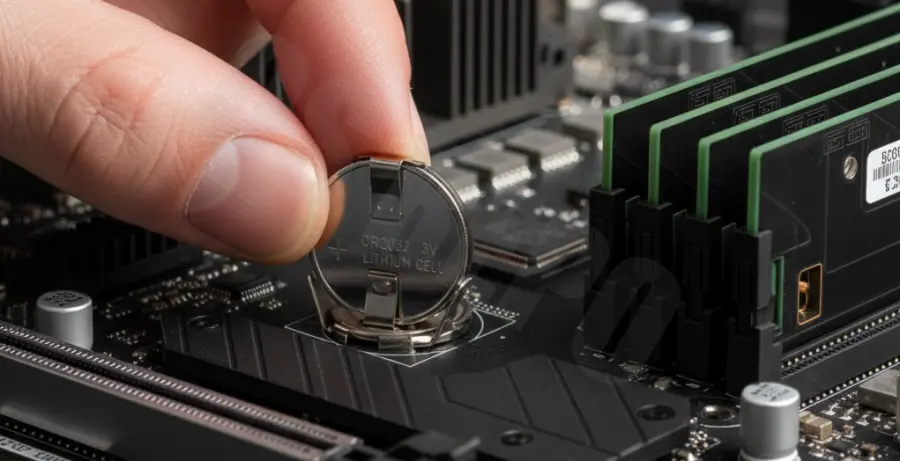
What is Motherboard BIOS Battery Drain?
Motherboard BIOS battery drain occurs when the CMOS battery (usually a CR2032 coin cell) loses its charge significantly faster than the expected 3 to 10-year lifespan. This battery is responsible for powering the CMOS RAM, which stores BIOS settings and keeps the system real-time clock (RTC) running when the computer is unplugged.
When the battery drains fast, you will notice the system time resetting to a default date every time you boot. You may also see “CMOS Checksum Error” or “Press F1 to Resume” messages during startup.
Fast drain is often a symptom of a hardware irregularity. It could be caused by a faulty capacitor, a leaking diode on the motherboard, or even extreme environmental humidity causing microscopic shorts.
Step-by-Step Solutions
1. Test the Battery Voltage
Before assuming the motherboard is faulty, use a multimeter to test the battery. A fresh CR2032 should read approximately 3.0V to 3.3V. If your new battery drops below 2.8V within weeks, you have a parasitic drain issue.
2. Inspect the CMOS Socket
Dust or corrosion in the battery holder can cause a “bridge” that slowly discharges the cell. Use compressed air to clean the socket. Ensure the metal tabs are making firm contact with the battery surface without touching other components.
3. Check for Motherboard Shorts
Small metal shavings or a poorly installed motherboard standoff can cause a subtle short circuit. Ensure the motherboard is properly mounted on its brass standoffs and that no part of the board is touching the PC case directly.
4. Update Your BIOS Firmware
In rare cases, a bug in the BIOS power management firmware can cause excessive power draw from the CMOS battery while the PC is off. Check the manufacturer’s website for updates that specifically mention power fixes.
# Example: Checking hardware clock synchronization on Linux
# This helps verify if the system is communicating with the RTC
timedatectl status
sudo hwclock --verbose
5. Verify the Power Supply (PSU)
The CMOS battery is only supposed to take over when the 5V standby power (5Vsb) from the PSU is absent. If your PSU is failing or if you completely turn off the surge protector every night, the battery is forced to work 24/7, leading to a faster drain than normal.
6. Inspect for Faulty Diodes
If you are tech-savvy, inspect the circuit near the battery. Motherboards use a “dual-diode” setup to switch between PSU power and battery power. If one of these diodes fails, the battery might attempt to “power” parts of the board it shouldn’t, causing it to die in days.